

For departments
Reach the public. Coordinate what comes back.
Send time-sensitive alerts to a selected geographic area. Give residents a clear action, then organize incoming tips, officer assignments, status and internal notes in Sentinel.
Lucas is free for residents. Agency evaluation and commercial terms are separate.
Sentinel on iOSThe alert and response workflow

Choose the audience for a time-sensitive message.
Review case-related information and new tips.
Officer, status and internal notes stay with the work.
Publish with a clear audience
Sentinel is designed to let authorized agency personnel publish public information that residents can follow through Lucas. Public communication remains an agency responsibility, including deciding what to publish and when to update it.
Publish quickly, with the audience defined
Select a geographic area, prepare the public message and give residents an explicit action. The platform is built for a fast alert workflow, with notifications often moving in around a minute. This is an approximate description, not a guaranteed delivery time or a substitute for an agency’s emergency warning obligations.
The action can be protective, such as a department-issued instruction to shelter indoors, or investigative, such as a request for camera footage from a defined location and period. Keeping the message, area and response route together reduces the amount a reader must reconstruct from separate posts.
Lucas is free for residents. Departments can evaluate a channel people can join without a resident subscription, while the agency assesses its own operating requirements, staffing and commercial terms separately.
Organize the response, not just the outgoing message
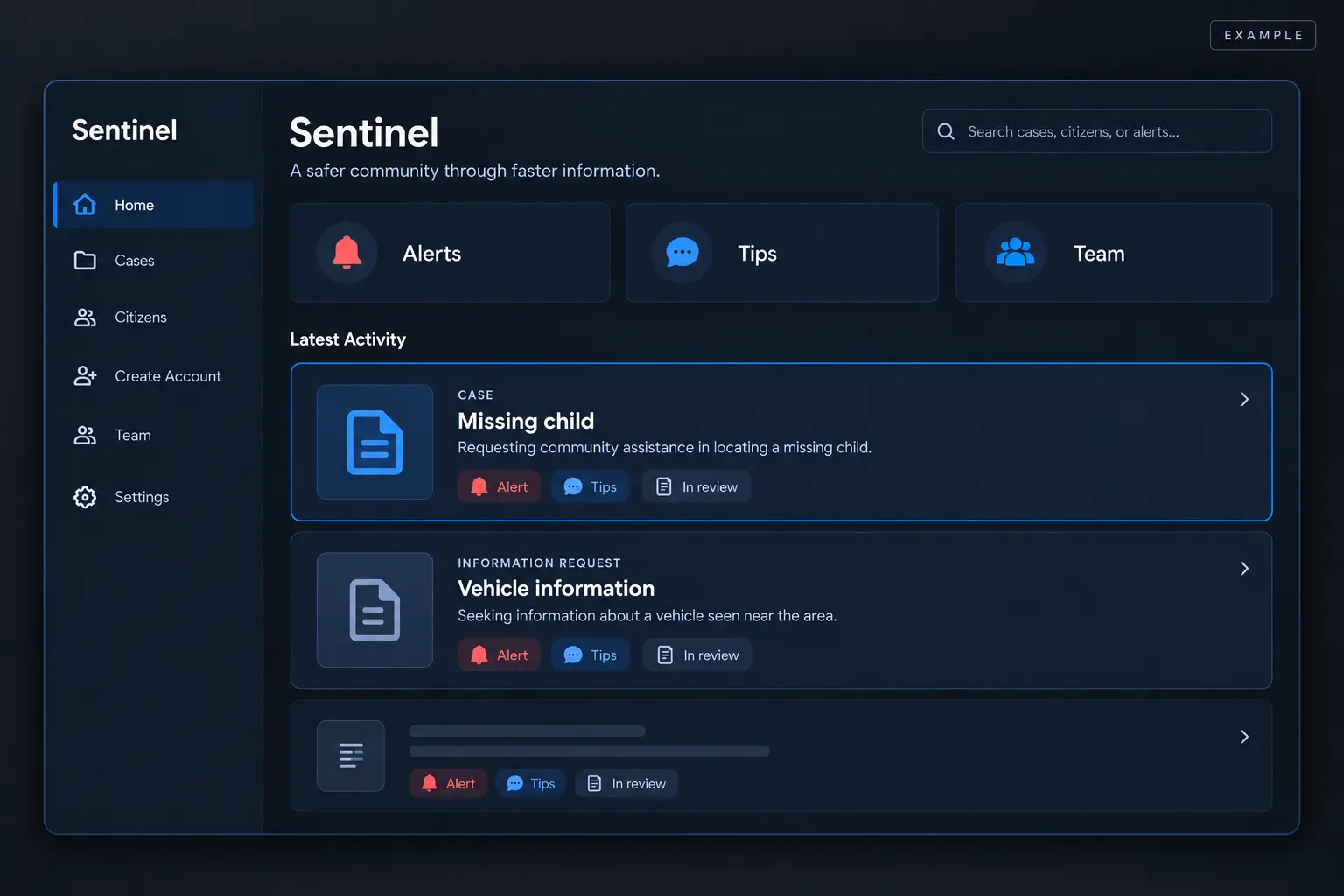
Incoming tips may relate to a published case or begin as new information from the community. Staff can sort the information, assign an officer, select a status and add internal notes that are not shown to the public. Those tools help a department keep the next step attached to a responsible person.
The department administrator adds officers and their roles in the administrative dashboard. A public-information or community-outreach lead can coordinate the channel, while other authorized officers publish or review information within their assigned responsibilities. Agency policy should determine who may release, amend and act on information.
One coordinated workspace can reduce the need to assemble a response from messages scattered across social platforms and inboxes. Sentinel supports that operating model; it does not remove the need for review, official records processes or other required public-warning channels.
Illustrative interface · Fictional scenario
Give the information a next step.
A camera-footage tip can be assigned to an officer, given a status and developed through internal notes. The department assesses the information and decides what happens next.
Follow the workflowOne workflow, from a public request to incoming information
A public update can explain what a department needs people to know. A community contribution can add a place, a time or an observation the original update did not contain. Sentinel brings the department’s side of that exchange into focus: publishing information, organizing cases and reviewing what comes back.
The published Sentinel Dashboard listing describes public and internal cases, tip status, case assignment and department transfer. Those are product capabilities to examine in a demonstration, not evidence of a particular agency’s adoption or an independently audited outcome. An evaluation should follow the complete path a resident and a reviewer would actually use.
Participation should be useful to both sides
Residents need a clear source, an understandable request and an appropriate place to contribute. Agency personnel need information they can interpret within their own responsibilities. A useful implementation considers both experiences together; a growing audience is valuable only when the communication and review process can support it.
Start with a bounded question: which public information workflow would become easier to operate or understand? Then identify who publishes, who reviews, how corrections are handled and what would count as a successful trial. A focused evaluation produces better evidence than a broad promise about transforming public safety.
Give incoming information a place in the workflow
Community observations are more useful when their source, context, and connection to a case or public request can be reviewed. Sentinel supports the department-facing handling of incoming Lucas tips within the available feature set.
Evaluation should establish who reviews information, how often the queue is monitored, and what happens when a submission belongs with another agency.
Keep each agency's work distinct
The citizen experience can connect several followed departments while each department has its own workspace. Participation does not transfer an agency's legal responsibilities or imply that every department can see every other agency's records.
Evaluate the operational fit
A useful pilot examines publishing responsibilities, account approval, tip handling, resident communication, and record requirements alongside the technology. Agree on those responsibilities before inviting residents to rely on a new channel.
Follow a real task through the product
Start a demonstration with a time-sensitive department task: prepare a public request, decide what can be released, publish it and inspect what a resident sees. Then follow a fictional tip back to the department side. That sequence reveals more than a collection of screenshots viewed separately.
The Sentinel Dashboard listing describes public and internal cases, incoming Lucas tips, status, assignment and department transfer. Ask to see the current version perform each task relevant to your agency. Record which steps were demonstrated, which were explained and which still require confirmation.
This approach also tests expectations. A resident needs to understand who issued the request and where a response goes. A reviewer needs enough information to assess the submission and understand its connection to the case. An evaluation should account for both perspectives before a public launch.
Plan for the people operating the channel
Agree who may publish, who checks a draft and who updates information when the situation changes. Decide who reviews incoming tips and how coverage works during leave, shift changes or an unexpected increase in submissions. These are operating decisions as much as software questions.
Discuss what staff should do when information is urgent, belongs with another agency or arrives with an unsupported attachment. The current workflow and the department’s policy must support the response that residents are being told to expect. Do not advertise continuous monitoring unless it is actually provided.
An NIJ-sponsored technology-adoption guide organizes evaluation around technical, operational and governance factors. Applying that framework here means reviewing the application alongside staff responsibilities, record requirements and the limits of the proposed use. A good fit needs all three.
Source: NIJ-sponsored technology adoption and implementation guide
Make the first evaluation answer a question
A limited pilot should begin with a specific aim, such as assessing whether a public information request and its incoming observations can be managed through a clear workflow. Agree on the participating staff, the test material and the period of review before interpreting results.
Useful observations include whether staff can complete the intended tasks, whether residents understand the source and recipient, and where the process requires clarification. Signups alone do not establish safer outcomes. A successful screen demonstration does not establish an entire agency’s readiness.
Bring those questions to a department conversation with the team. We can discuss current product capabilities, what your agency needs to confirm and the scope of a practical evaluation. The purpose is to establish a workable next step with evidence you can inspect.
Sources and further reading
- Sentinel Dashboard — Detailr Corp. product listing
- NIJ-sponsored technology adoption and implementation guide
- Sentinel Dashboard: Detailr Corp. product listing
Page reviewed October 27, 2026. External guidance explains the stated topic; it does not establish a product outcome or endorsement.
For department teams
Put your communication workflow to the test.
Lucas is free for residents. Review the department workflow and current agency terms with our team.